A calendar your whole club will actually use
Color-coded, conflict-free, and readable on a phone at the hangar. Plus the waitlist that runs itself, for aircraft and the gear that goes with them.
One calendar, every tail, every view
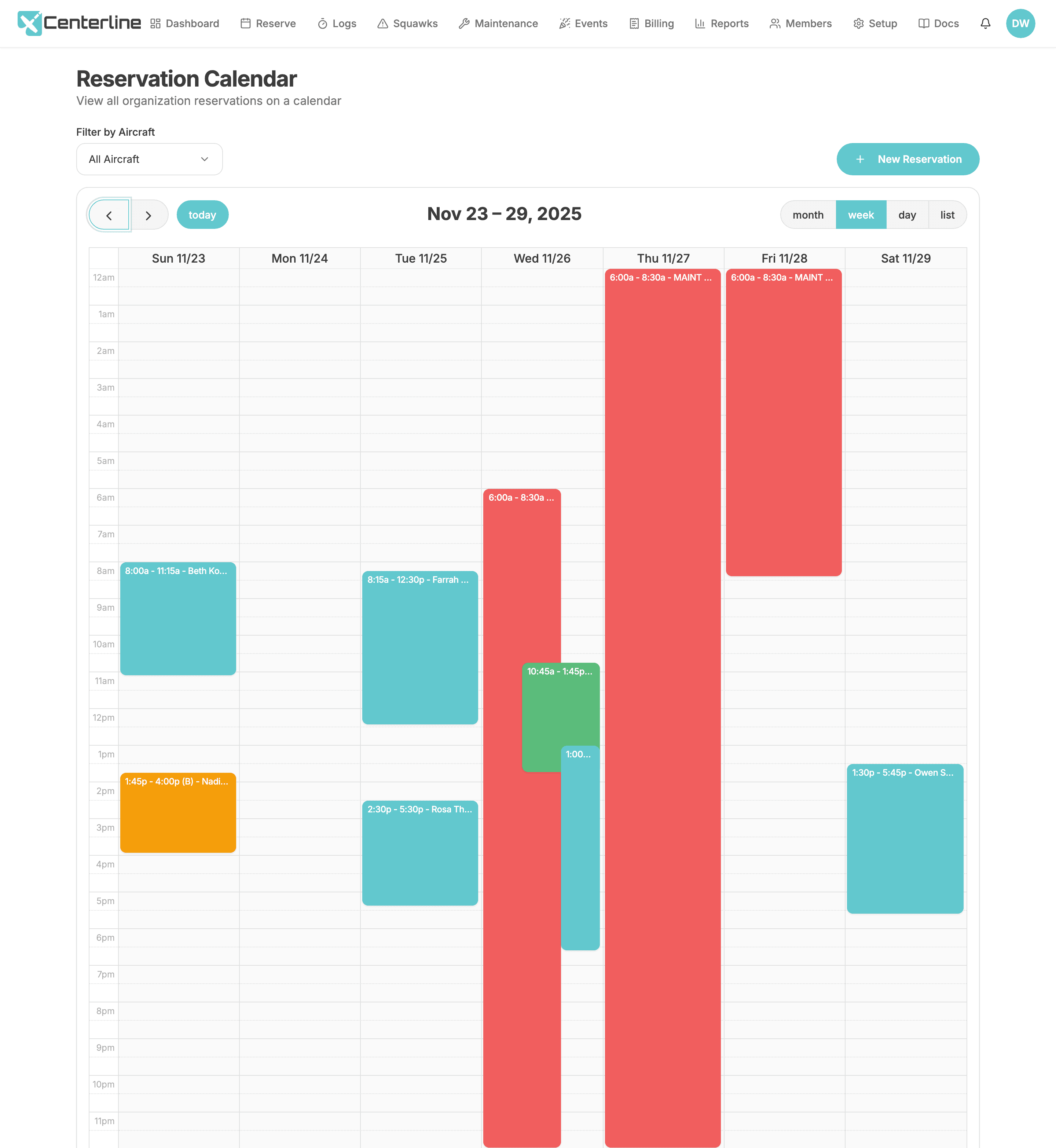
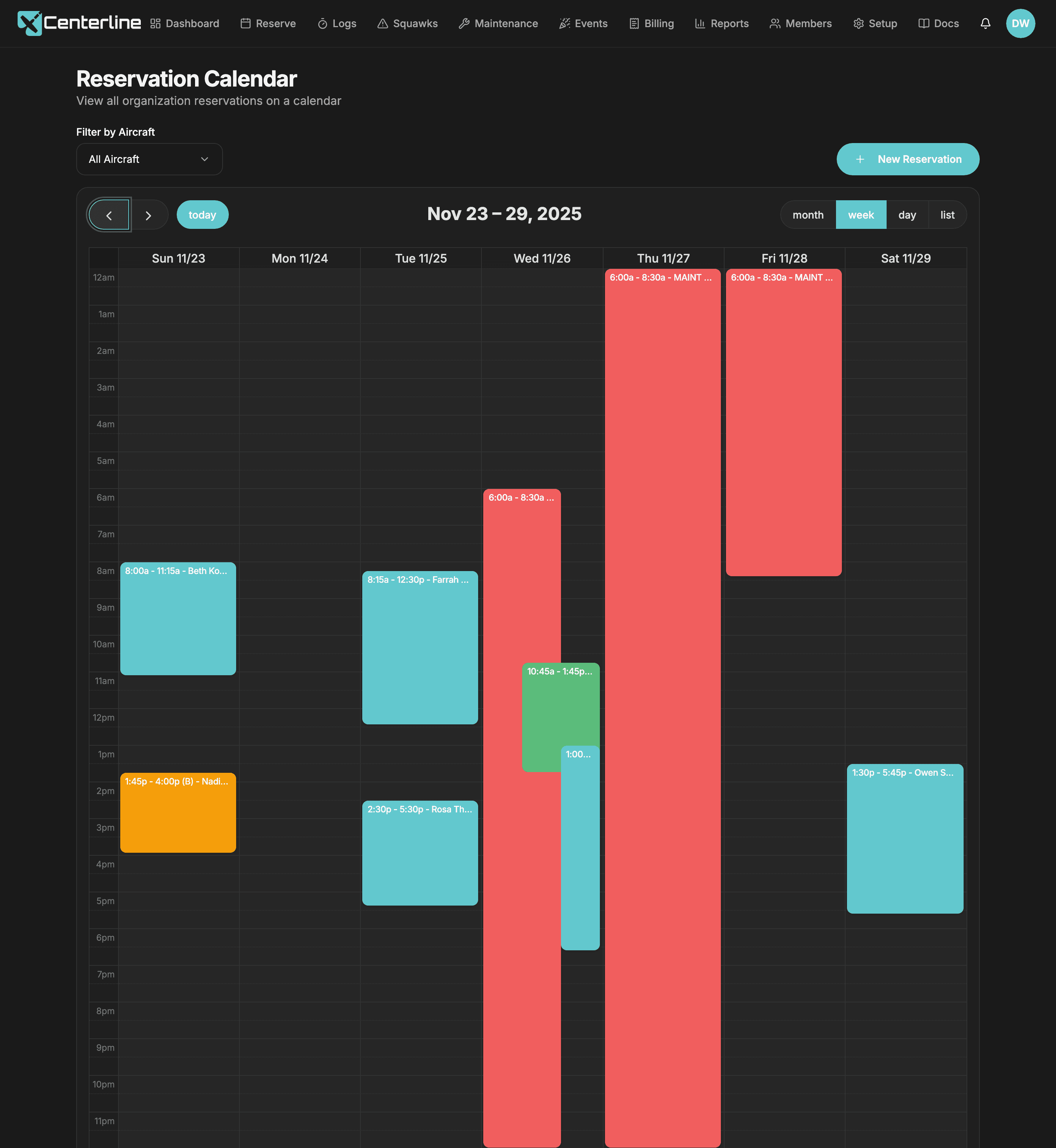
Month, week, and full 24-hour day views, color-coded so a glance answers whether the plane is free: active reservations in cyan, backups in orange, maintenance in red, and your own reservations in green. Month view shows real start and end times on every tile, not just names, and on a packed Saturday the blocks shorten to pilot initials and quarter-hour times instead of turning into a wall of clipped text. Filter down to one tail when the fleet gets big, and every create or edit checks the requested window on the server, so an overlap never silently succeeds.
- Color-coded shared calendar
One glance answers whether the plane is free and who has it.
- Conflict Checks
Two members cannot end up both believing the plane is theirs; the second one is told, in the moment, that they are second in line.
- Aircraft filtering
Big fleets stay legible, and a member planning a trip sees the aircraft and the gear they'll take, nothing else.
Never miss a slot again
Book a slot that's already taken and the reservation is accepted anyway, marked as a backup instead of rejected. When the conflict clears (a cancellation, an early return, maintenance lifted), the backup is promoted to active automatically, no admin arbitration required.
- 1Book your preferred time even if it's taken
- 2Your reservation is marked as "backup"
- 3When conflicts clear, you're automatically promoted
- 4Get notified via email and SMS immediately
- Backup reservations
Members stop refreshing the calendar hoping for a cancellation.
- Automatic promotion
The waitlist runs itself, and you find out you have the plane while there is still time to plan the flight.
The headset gets a calendar too
List headsets, portable ADS-B, the airport bike, whatever members borrow, and they're booked on the same calendar as the aircraft. Tick them onto a flight and they follow it; reserve them on their own for a ground day. Backups and promotion work exactly as they do for aircraft.
- Reserve club equipment
The spare headset stops living in someone's flight bag: everyone can see who has it and when it's free.
- Equipment booked with a flight
One form books the plane and the gear, and nobody has to remember to release the headset when plans change.
Rules that match your bylaws
Every club has an unwritten policy about hoarding the schedule. Make it written: optional per-organization limits on maximum reservations per member, maximum hours per member, and maximum reservation length, plus per-aircraft permissions that keep the high-performance and complex airplanes behind checkout. An organization-level timezone drives the calendar, the reservation and flight-log screens, and every reservation email and SMS, so a club flying in Arizona never has to translate UTC in their head.
- Scheduling rules
Enforce the hoarding policy the bylaws already contain.
- Per-aircraft booking permissions
High-performance and complex aircraft stay behind checkout.
Instruction, built into the reservation
Assign a CFI to any reservation from a dropdown on the create/edit form, and a graduation-cap badge marks the flight on the calendar so everyone knows who's instructing. The assigned instructor gets their own notifications (in-app, email with a calendar invite, and SMS), worded for the instructor role rather than the pilot, on create, update, and cancel. Change the instructor mid-cycle and the outgoing CFI is notified the flight is no longer theirs while the incoming instructor gets a fresh assignment with its own calendar invite.
- Assign a CFI to any reservation
Everyone knows who is instructing which flight, and CFIs get the 'tell me when a student books me' alert they ask for.
When plans change
Finish a flight early and the reservation closes at the next quarter hour, releasing the rest of the booking back to the club and triggering backup promotion. When a pilot lands more than an hour ahead of schedule, only the next pilot booked on that tail within the next 24 hours is notified: not the whole club, and not a pilot who has muted early-return alerts for that aircraft. Cancellations carry a reason into the cancellation notice, and a reservation left unfinished past its end time is flagged on the calendar and counted in the Unfinished / Overdue Flights report.
- Finish a flight early
Unused reservation time returns to the club instead of being wasted.
- Smart back-early notifications
Freed-up time reaches the one person who can use it, without spamming everyone.
- Cancellation reasons
Fewer 'why was my flight cancelled?' messages.
- No-show tracking
Identify the members blocking airplanes they never fly.
Requires the scheduled-reminder service to be configured. Without it, no reservation is ever marked as a no-show
Social Flights
A "promote this flight to fellow members" checkbox turns a private reservation into an open seat: shared flights appear in a dashboard card with pilot, aircraft, time, and destination, so members can see who's flying, in what, and where.
Scheduling software usually treats flying as transactional. A cross-country is better with a passenger, and an hour-building member would jump at the right seat.
- Social Flights
Turns the calendar from a scheduling grid into a club: right-seat rides, hour-building, shared cross-countries.
- 24-hour flight reminders
Fewer no-shows.
- Overdue flight reminders
Logs get closed while the flight is fresh.
Requires the scheduled-reminder service to be configured
Every scheduling & reservations feature
- Color-coded shared calendar
One glance answers whether the plane is free and who has it.
- Conflict Checks
Two members cannot end up both believing the plane is theirs; the second one is told, in the moment, that they are second in line.
- Aircraft filtering
Big fleets stay legible, and a member planning a trip sees the aircraft and the gear they'll take, nothing else.
- Backup reservations
Members stop refreshing the calendar hoping for a cancellation.
- Automatic promotion
The waitlist runs itself, and you find out you have the plane while there is still time to plan the flight.
- Reserve club equipment
The spare headset stops living in someone's flight bag: everyone can see who has it and when it's free.
- Equipment booked with a flight
One form books the plane and the gear, and nobody has to remember to release the headset when plans change.
- Assign a CFI to any reservation
Everyone knows who is instructing which flight, and CFIs get the 'tell me when a student books me' alert they ask for.
- Finish a flight early
Unused reservation time returns to the club instead of being wasted.
- Smart back-early notifications
Freed-up time reaches the one person who can use it, without spamming everyone.
- Scheduling rules
Enforce the hoarding policy the bylaws already contain.
Set by the Account Owner in Setup; enforced for every member
- Per-aircraft booking permissions
High-performance and complex aircraft stay behind checkout.
- No-show tracking
Identify the members blocking airplanes they never fly.
Requires the scheduled-reminder service to be configured. Without it, no reservation is ever marked as a no-show
- Cancellation reasons
Fewer 'why was my flight cancelled?' messages.
- Social Flights
Turns the calendar from a scheduling grid into a club: right-seat rides, hour-building, shared cross-countries.
- 24-hour flight reminders
Fewer no-shows.
- Overdue flight reminders
Logs get closed while the flight is fresh.
Requires the scheduled-reminder service to be configured
Put your fleet on one calendar
60 days free, no credit card. Import your existing reservations and your club sees the real schedule today.
Start your free trial60 days free. No credit card required.