You volunteered to run a club, not to maintain a spreadsheet
Centerline is built around the four jobs your board actually splits up, and it gives each of them the numbers to do it well.
“President,” “treasurer,” “safety officer,” and “maintenance officer” are club vocabulary, not product roles. Centerline has five: Account Owner, Booking, Maintenance, User Management, and Member, and a person can hold more than one. Below, each office is mapped to the role that actually unlocks its tools. There is no Treasurer role or Safety Officer role in the product itself.
If you're the president
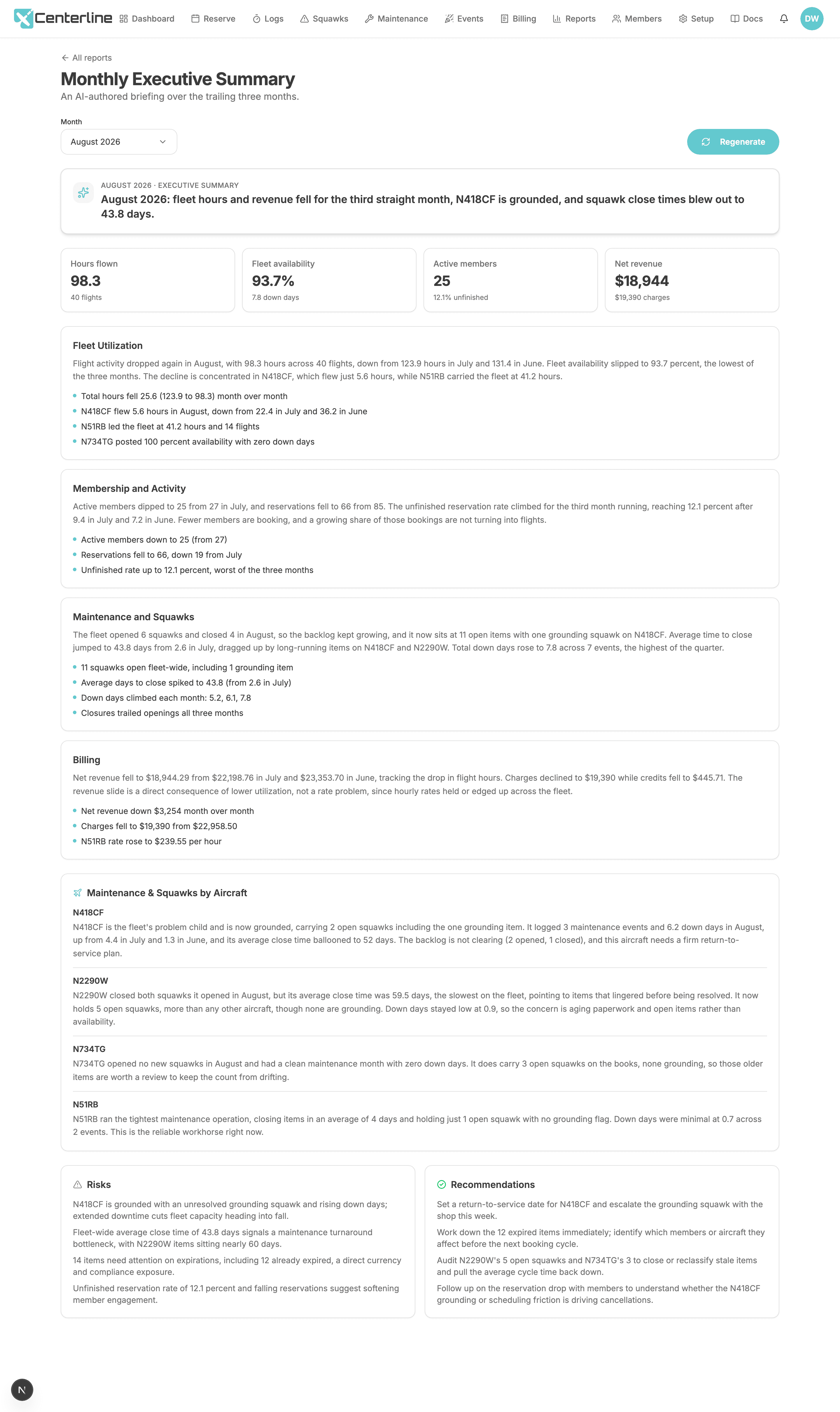
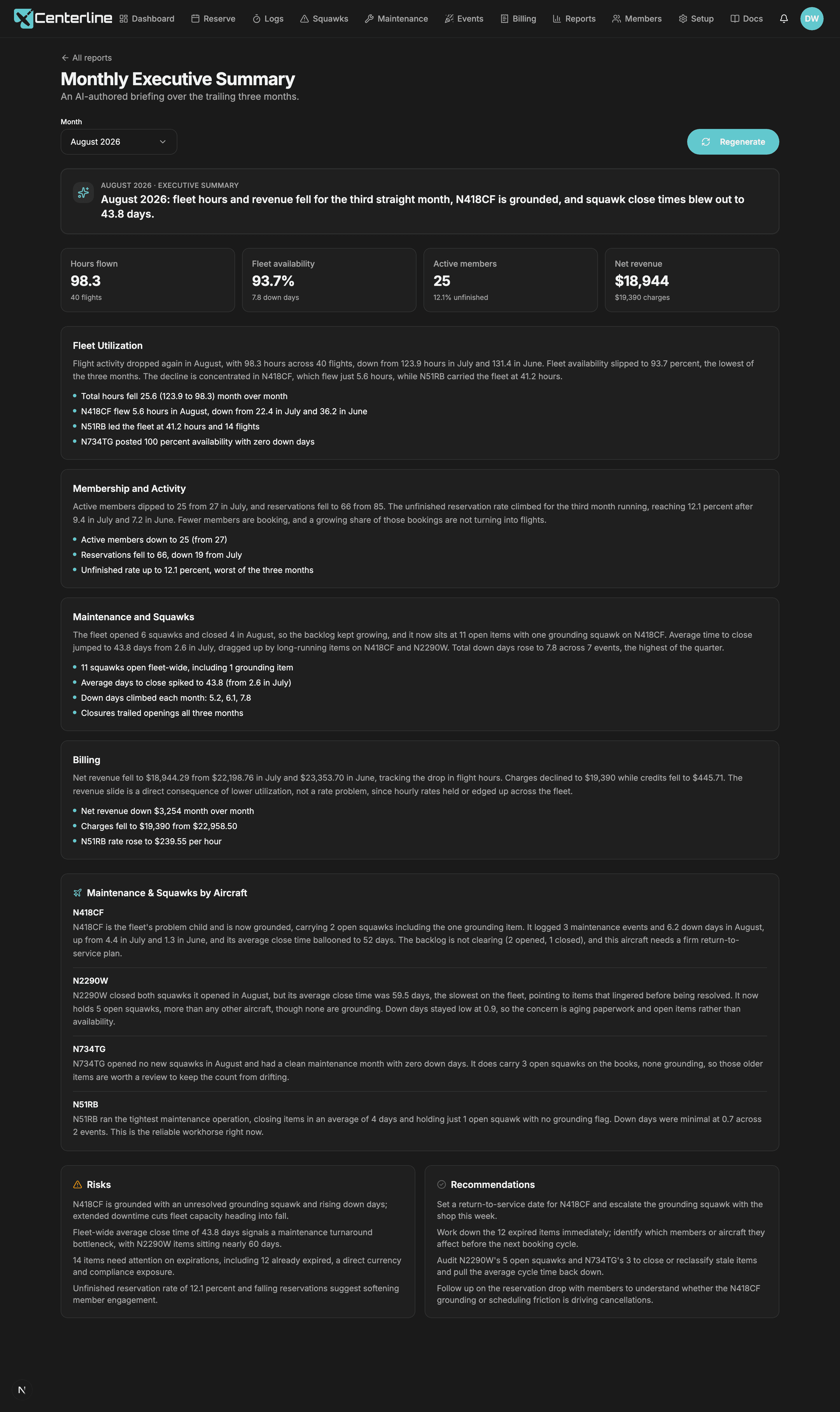
In Centerline this is the Account Owner role. The Monthly Executive Summary turns the trailing three months into a written board packet (fleet activity, membership, maintenance, and finances) without anyone building a spreadsheet first. Member Activity shows who's drifting away before they quit, and Aircraft Utilization gives the fleet-sizing conversation real numbers instead of a gut feeling. And when something needs to reach the whole club, any member can send a rich-text notification to everyone at once, with no separate mailing list.
- Monthly Executive Summary
A board report you could read aloud, without anyone building a spreadsheet first.
Account Owner only; requires the AI service to be configured
- Member Activity
Spot the member drifting away, and the one ready to be asked to do more.
Booking admins and Account Owners
- Aircraft Utilization
The fleet-sizing conversation, with numbers in it.
Booking admins and Account Owners
- Custom Notifications
Club-wide comms, and a safety notice that cannot be scrolled past, without a separate mailing list.
If you're the treasurer
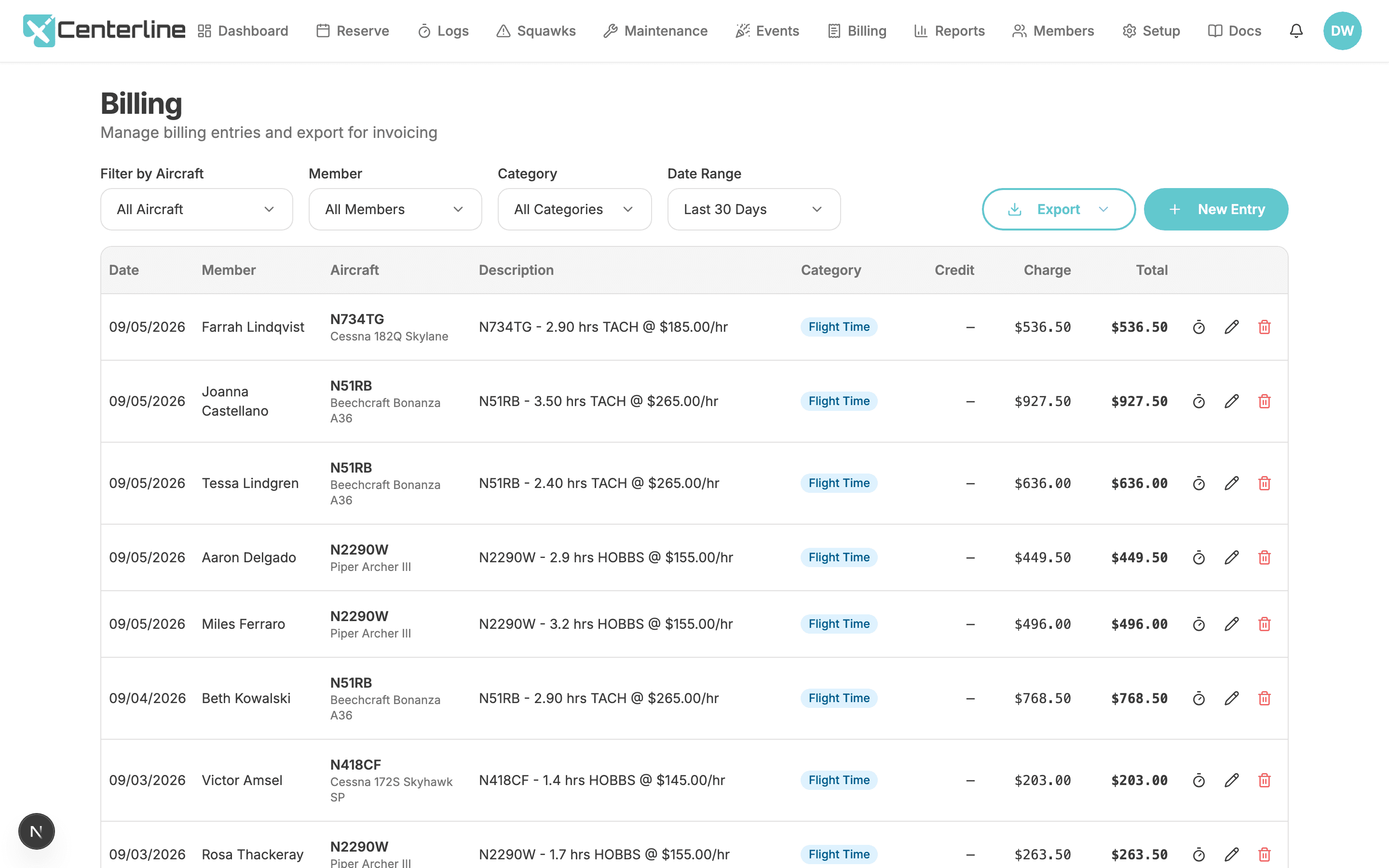
There's no Treasurer role either: billing is Account Owner-only, so whoever runs the books needs that role. Rates are dated so a January 1 increase doesn't corrupt December's books, and a finished flight turns into a billing entry on its own. Run dues once a month with a checklist instead of a recurring auto-charge, let members pay their own balance straight into the club's own Stripe account (Centerline never touches the money and takes no cut), and let a past-due warning show up on the member's own dashboard instead of your inbox. When it's time to close the books, the ledger exports to QuickBooks Online format, and Revenue by Aircraft puts real dollars next to Aircraft Utilization. See the full picture on the billing feature page.
- Per-aircraft rates with effective dates
Raise rates on January 1 without corrupting December's books.
Account Owner only; requires the Billing feature
- Automatic charges from flights
The treasurer stops transcribing a clipboard into a spreadsheet.
Requires the Billing feature; generated when a member finishes a flight, and creatable by hand by Booking or Account Owner
- Monthly dues
Officers stay in control of when money moves.
Account Owner only; requires the Billing feature
- Stripe Connect Standard
Money goes straight to the club. Centerline never holds funds and takes no application fee.
Account Owner only; requires the Billing feature; requires connecting a Stripe account
- Past-due warnings
The member sees where they stand before the treasurer has to ask.
Requires the Billing feature; thresholds are set by the Account Owner, the alert appears on the member's own dashboard
- QuickBooks Online export
Books line up on the other side without manual re-coding.
Account Owner only; requires the Billing feature
- Revenue by Aircraft
Put it beside Aircraft Utilization and the fleet economics conversation writes itself.
Account Owner only; requires the Billing feature
If you're the safety officer
This job splits across two roles. The currency side (the Expirations report, with grace days applied and a CSV export for renewal season) belongs to User Management. The squawk side is open to every pilot, on purpose: a reporter can flag an item as recommending grounding right from the ramp, that warning shows on the Fleet Status card and the flight cards for anyone about to fly the tail, and closing a squawk requires writing down what was actually done. A blue Monitoring badge separates “watch this” from “this is broken.” And if a lockout is ever disputed, there's a record of it, though it's one our support team pulls up for you rather than a report you run yourself.
- Expirations
Run it before renewal season; your safety officer will bookmark it.
User Management admins and Account Owners
- Automatic expiration reminders
Renewals happen before the ramp check, not after.
- Recommend grounding flag
Safety-critical items are unmistakable.
- Required written resolution
The pilot who wrote it up learns what was actually fixed, and trust compounds.
- Monitoring badge
Distinguishes 'keep an eye on this' from 'this is broken', and a handful of long-running observations doesn't distort the maintenance trend.
If you're the maintenance officer
This one maps to the Maintenance role. Schedule the one-off items by date and the recurring ones by calendar month or by tach; the tach-based schedules run off the aircraft's own current reading, fed by the same logs pilots enter after a flight, not a separate spreadsheet. Squawk Cycle Time tracks how many days it actually takes to close something, and Aircraft Downtime tracks how many days each tail sits in the shop. Click a maintenance block on the calendar and it lists that aircraft's own contacts who also hold the Maintenance role, each one tap from an email. And every squawk arrives with as many photos from the field as it takes to show the problem.
- Due-date schedules
The 24-month items don't live in someone's memory.
- Recurring schedules
Tach-driven maintenance tracked against real tach data from the logs, and 'how close is the 100-hour?' answered at a glance.
- Squawk Cycle Time
When the average creeps up, you know before the backlog does the telling.
Maintenance admins and Account Owners
- Aircraft Downtime
Shop performance and availability planning, measured rather than remembered.
Maintenance admins and Account Owners
- Squawk reporting with photo attachments
'Rough idle' plus a photo of the gauge beats a paragraph in a group chat.
Handing over the job
Officer terms end, usually every year or two, and the normal way a club pays for that is losing the numbers to a departed volunteer's personal spreadsheet.
Roles live on the membership, not the person. Reassigning who holds a job is a single change; it doesn't touch a single reservation, squawk, or billing entry. Notes an officer wrote about a member stay attached to that membership for whoever holds the job next. And nothing is locked in: members, reservations, squawks, and maintenance schedules all export to CSV, each of the nine data reports exports its own filtered view, and the ledger exports in QuickBooks format, whenever the next treasurer wants a copy of their own.
The handover is an afternoon of reassigning roles and forwarding a login, not a scavenger hunt through somebody's personal spreadsheet.
- Member Roles
Matches how clubs actually distribute officer duties.
- Member Notes
Checkout history, dues conversations, incident notes.
- CSV export
Your data is yours: the best answer to 'what if we want to leave?'
Account Owner only
- Per-report CSV export
Board packets and budget spreadsheets without retyping.
- QuickBooks Online export
Books line up on the other side without manual re-coding.
Account Owner only; requires the Billing feature
Make the next board meeting shorter
60 days free, no credit card. Import your history and bring real numbers to the next one.
Start your free trial60 days free. No credit card required.