What your club's software should feel like
Book in three taps, sign in with your face, know why your squawk got closed, and see what you owe without emailing the treasurer.
Never miss a slot again
Book a slot that's already taken and instead of a rejection you get a backup reservation, shown in orange. When the conflict clears (a cancellation, an early return, or a maintenance block lifting), the oldest backup on that aircraft is promoted to active automatically, no admin arbitration required. You find out the moment it happens: in-app, by email with a calendar invite, and by SMS, while there is still time to plan the flight.
- Backup reservations
Members stop refreshing the calendar hoping for a cancellation.
- Automatic promotion
The waitlist runs itself, and you find out you have the plane while there is still time to plan the flight.
- Reserve club equipment
The spare headset stops living in someone's flight bag: everyone can see who has it and when it's free.
It's on your phone, properly
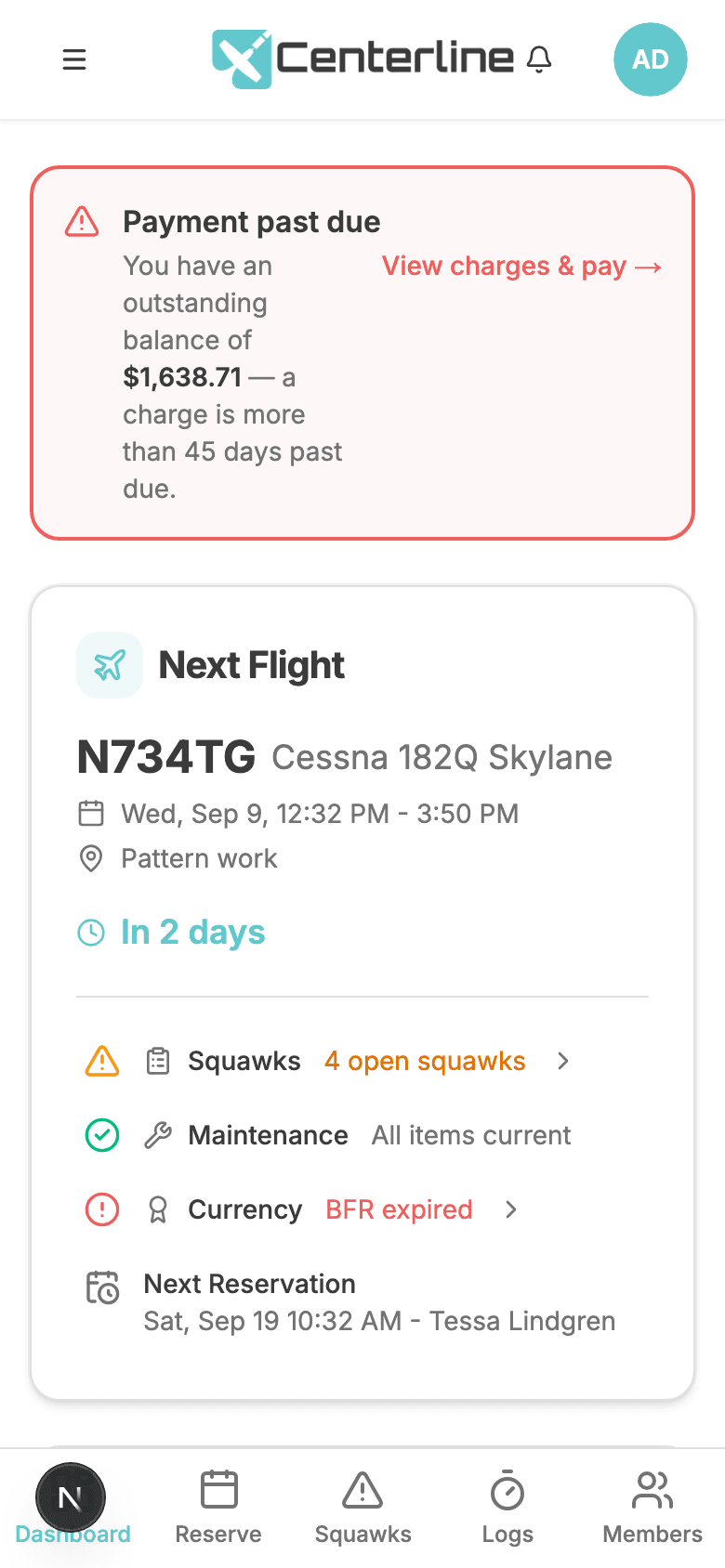
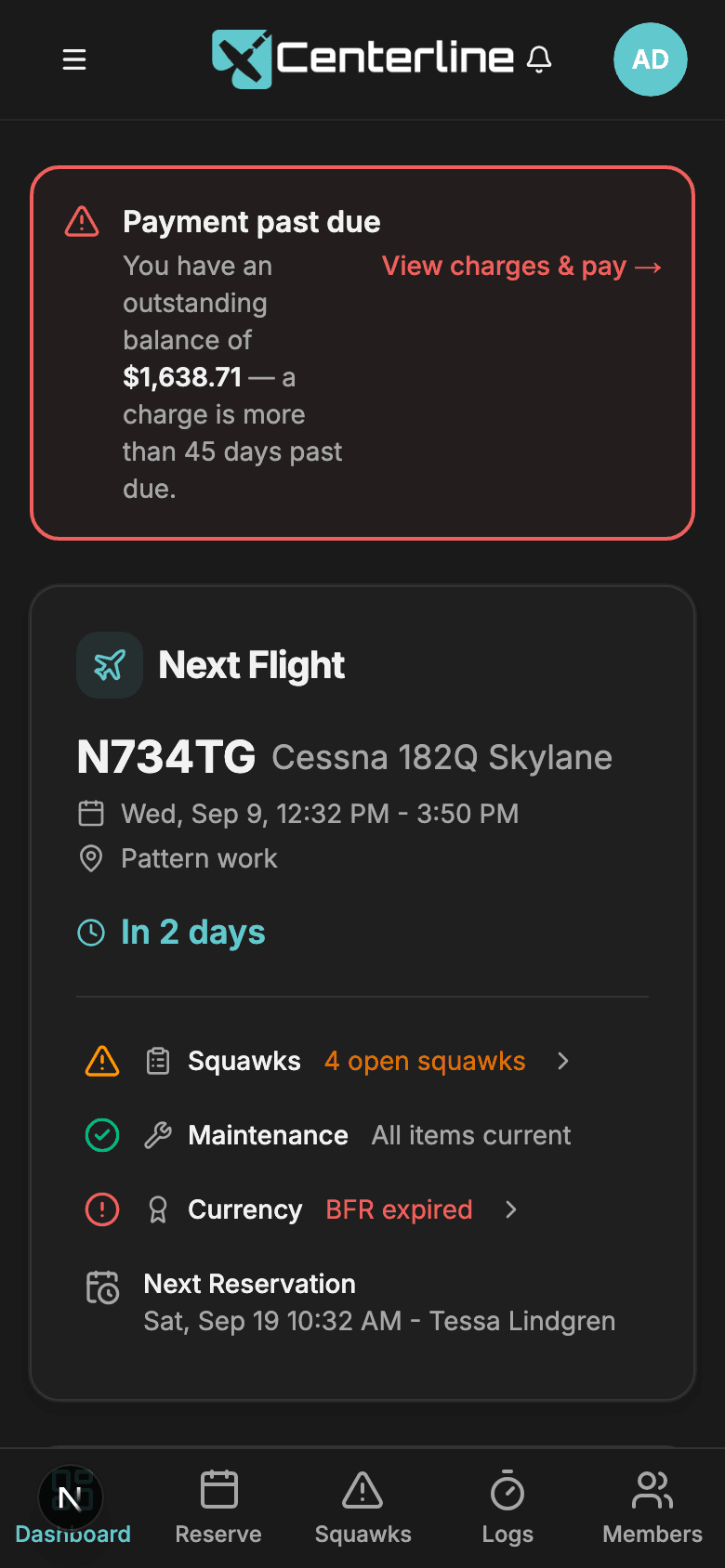
Centerline runs in your phone's browser: there's nothing to install and no app store to check for updates. What you get instead: a dashboard built around your own role, a bottom nav placed where a thumb actually reaches, and a full dark theme for the hangar office at 6am. Every screen in the product is designed mobile-first, not shrunk down from a desktop layout as an afterthought.
- Role-aware dashboard
Everyone's first screen is about them.
- Mobile bottom navigation
Thumb-reachable.
- Dark mode
Night currency flights and hangar offices.
- Mobile friendly
The airplane is not near a desk.
Sign in with your face
Register a passkey once from Profile → Security and sign in with Face ID, Touch ID, or Windows Hello from then on, genuinely useful on a cold ramp with gloves on, when typing a password is the last thing you want to do. Your password still works as a fallback, and the sign-in is completed on our servers rather than in your browser, so there is nothing in transit for anyone to intercept.
- Passkeys
Sign in on the ramp with cold or greasy hands: genuinely modern sign-in.
Finishing a flight takes seconds
Your in-progress flight sits on the dashboard with a Finish Flight button, so closing the log out is the natural next step after you tie down, not a separate errand for later that never happens. Hobbs and tach entry uses a press-and-drag scrubber instead of typing decimals on a phone keyboard, and the same dialog captures fuel, oil, and comments. If your club reimburses off-field fuel, attach a photo of the receipt right there with your camera or photo picker.
- Finish a flight in the app
The log gets closed by the person who flew, at the moment they land, and one pass captures everything maintenance and the treasurer need.
Requires the Flight Logs & Time Tracking feature
- Fuel receipt capture
Reimbursements have a paper trail instead of a text message, and a member's financial paperwork isn't sitting behind a guessable address.
Requires the Billing feature; also requires Flight Logs & Time Tracking. Members attach receipts when finishing a flight, admins on manual entries
You'll know how your squawk was fixed
Closing a squawk requires writing down what was actually done, and that resolution comes straight to you in the close notification and stays on the squawk permanently, so the person who filed it learns what was fixed instead of just seeing the item disappear. A blue Monitoring badge means “we're watching this, tell us if it gets worse” rather than “broken.” Your report before you fly is exactly the feedback that badge is asking for.
- Required written resolution
The pilot who wrote it up learns what was actually fixed, and trust compounds.
- Monitoring badge
Distinguishes 'keep an eye on this' from 'this is broken', and a handful of long-running observations doesn't distort the maintenance trend.
Only the notifications you want
Independent email and SMS toggles mean one noisy channel doesn't make you turn everything off. In a bigger fleet, mute club-wide cancellations, squawk alerts, or early-return notices per aircraft, so a member who only flies two of the club's eight tails only hears about those two. One rule has no override switch: a cancellation of your own reservation always comes through, mutes or not.
- Per-user delivery preferences
Nobody unsubscribes from everything because of one noisy channel.
- Per-aircraft notification muting
Big-fleet clubs stop drowning: only the planes you fly.
Your money, visible
Your Charges screen shows your own entries: read-only, paginated, and nobody else's. (The full club ledger belongs to the Account Owner; this is just what you owe.) If your club connected Stripe, Pay Now settles your balance straight into the club's own account; Centerline never touches the money. If your club prefers Zelle, Venmo, or a check instead, the admin-authored payment instructions sit on the same screen.
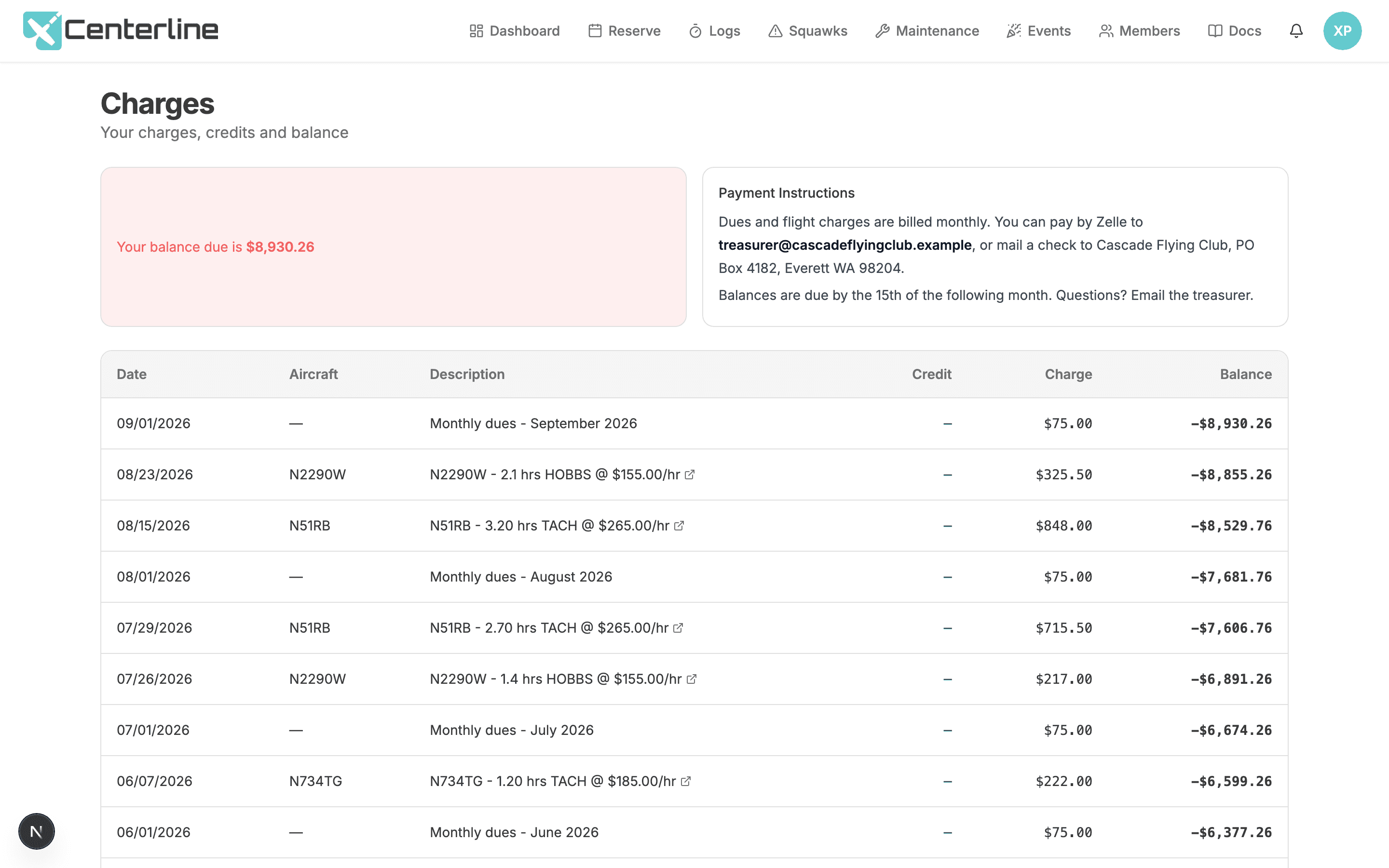
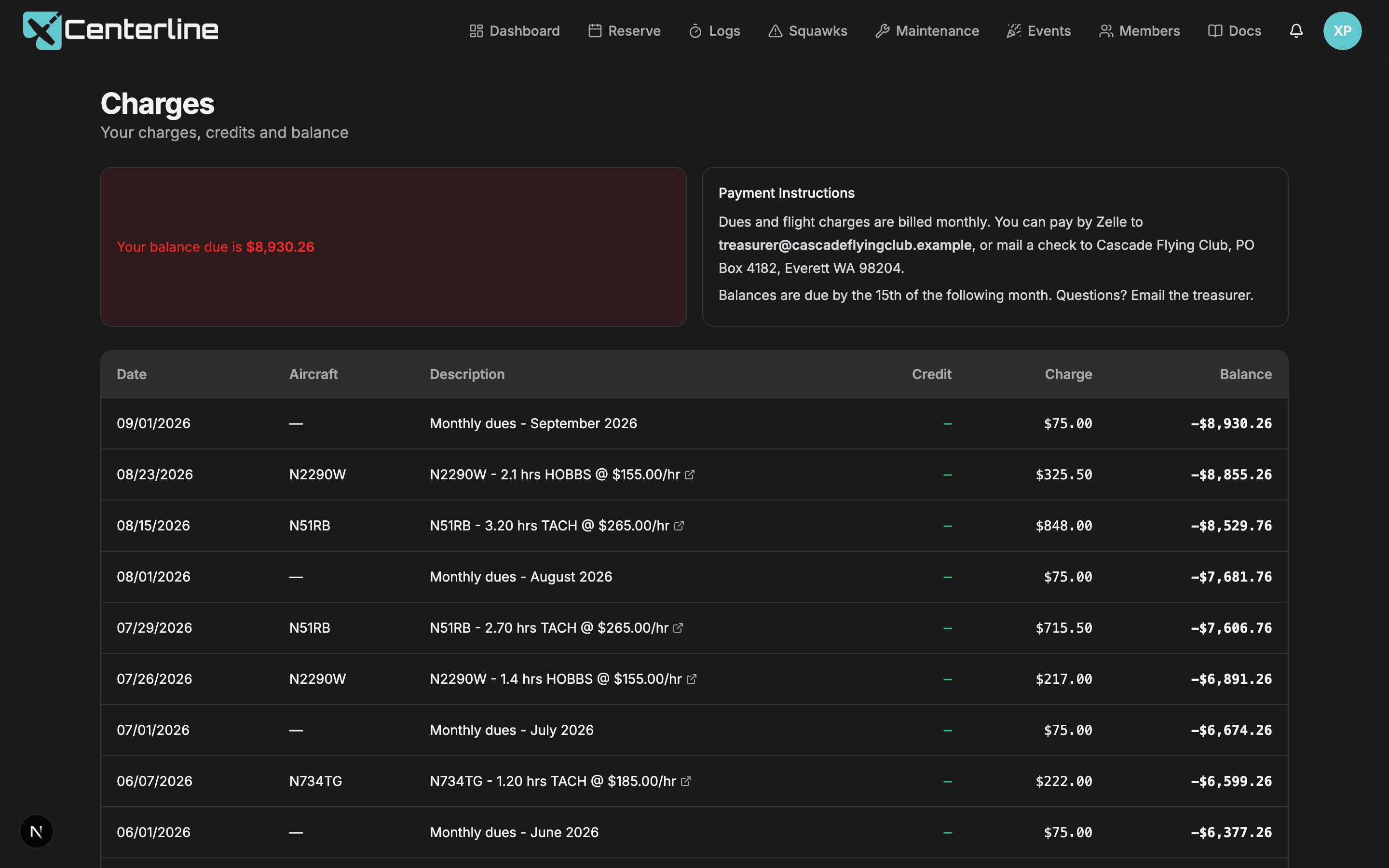
- Member Charges screen
'What do I owe?' answered without emailing the treasurer.
Requires the Billing feature; every member sees their own charges
- Payment instructions
Clubs that don't want Stripe still get a clean member experience.
Requires the Billing feature; written by the Account Owner and shown to every member
Flying is social
Check the box on a reservation to promote it to the rest of the club, and it shows up on a dashboard card with pilot, aircraft, time, and destination. That's how you find out someone's headed to the same pancake breakfast Saturday morning, or has an open seat on a cross-country you've been meaning to make.
- Social Flights
Turns the calendar from a scheduling grid into a club: right-seat rides, hour-building, shared cross-countries.
Send this to your board
Like the sound of this? Your club's officers make the call. Send them this page, or send them the numbers side of it, which is the argument that usually lands.
Clubs try Centerline free for 60 days with no credit card, so it costs your board nothing to find out.