From the tach reading to the bank account, without a spreadsheet in between
Rates, charges, dues, online payments, and a chart of accounts that lands cleanly in QuickBooks. Built for the person who volunteered to be treasurer and would like their evenings back.
Billing is optional and off by default. Turn it on in Setup when your club is ready. Clubs that handle money elsewhere never see any of it.
Rates that don't lie about history
Configure each aircraft as WET (fuel included) or DRY, billed off Hobbs or tach, with fuel reimbursed by the gallon or by the actual receipt. Rates carry an effective date rather than replacing whatever was there before, so you can schedule a change ahead of time or edit next quarter's number without touching what a member actually paid last spring.
Raise your rates on January first without corrupting December's books. Rates carry effective dates, so history stays true.
Charges write themselves
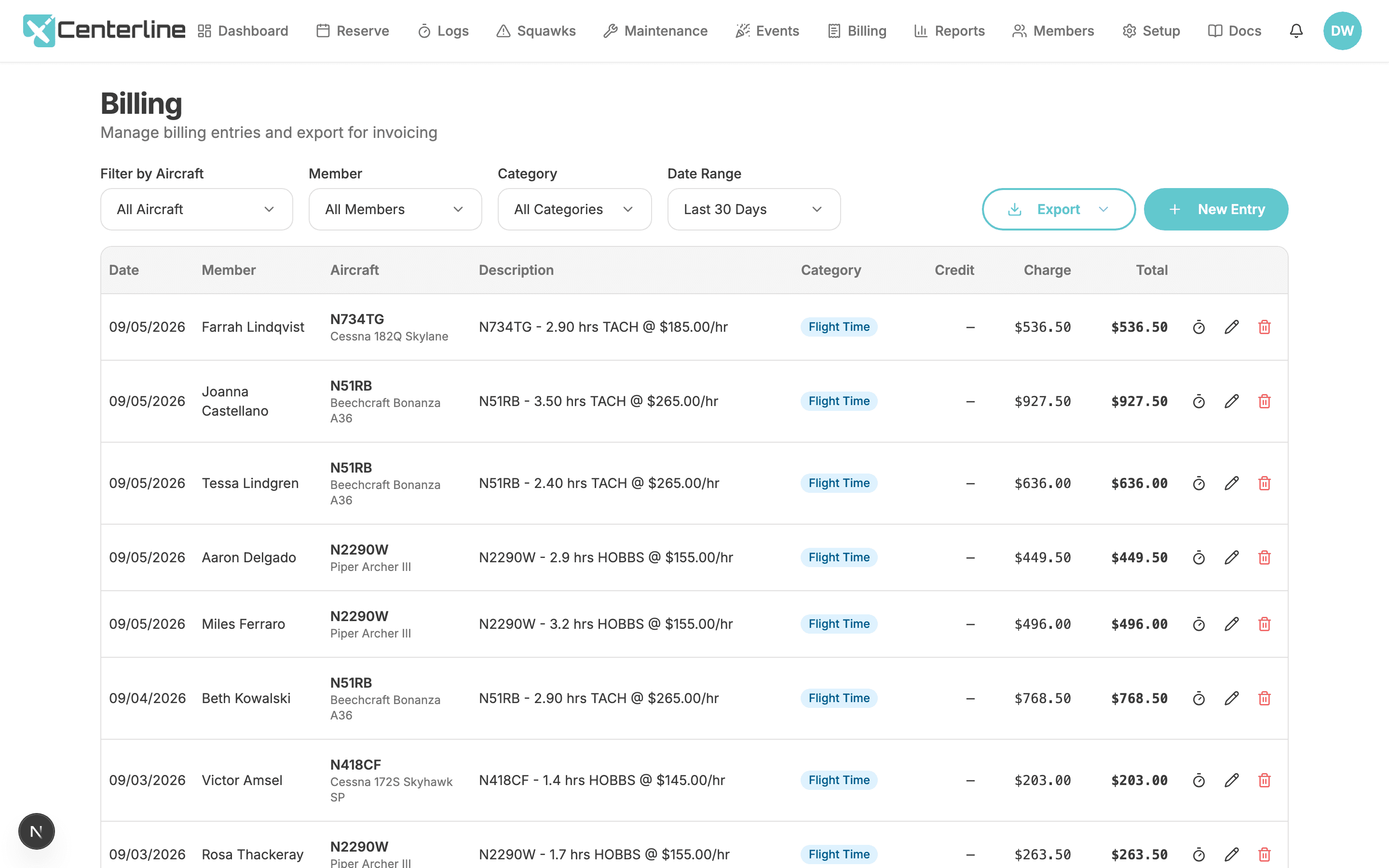
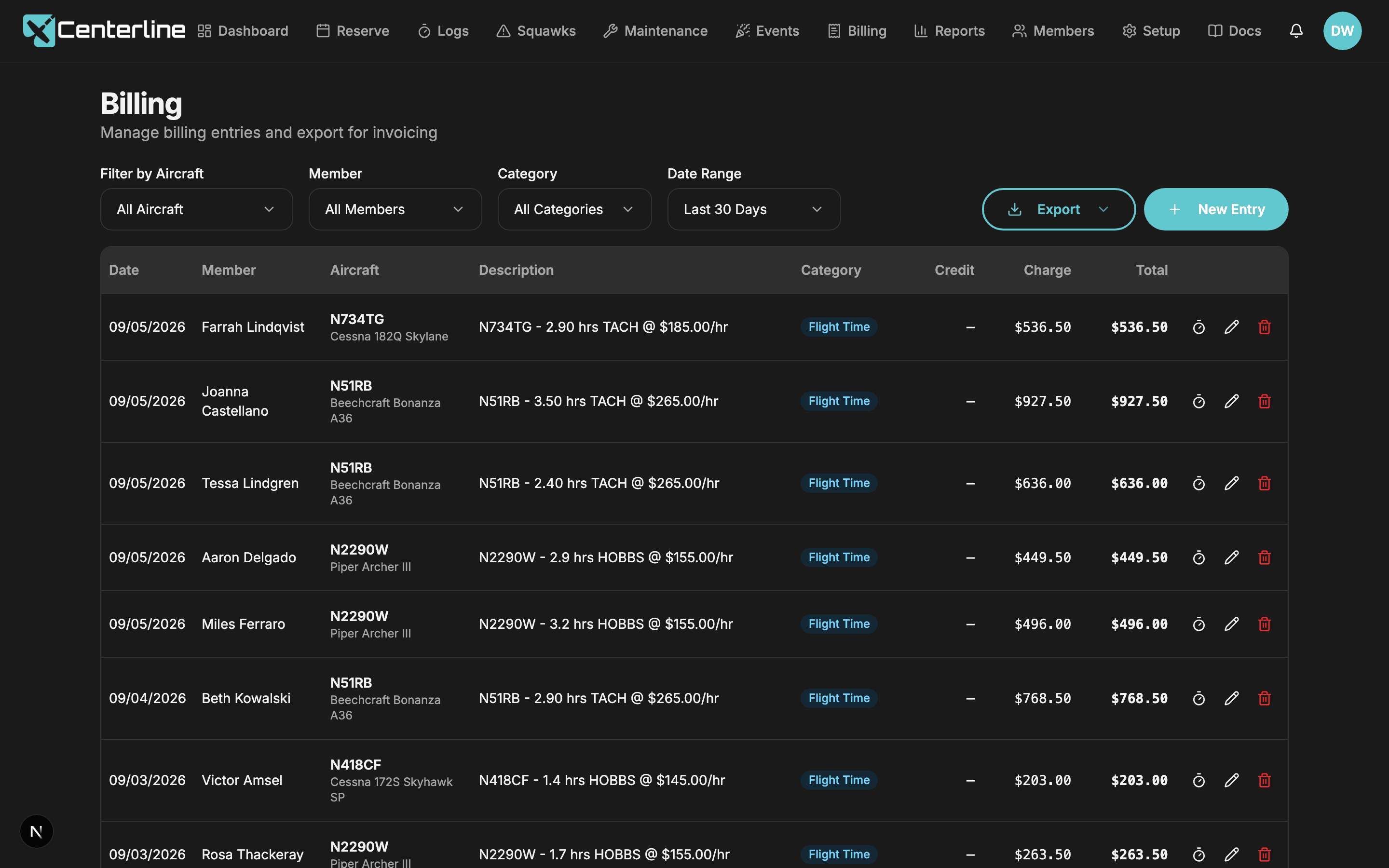
When a member finishes a flight, Centerline reads the effective rate for that aircraft, takes the difference between the start and end readings, and posts one billing entry, described exactly the way a treasurer would write it by hand: N418CF - 2.30 hrs HOBBS @ $145.00/hr. Flights flagged as maintenance never generate a charge, and the system enforces exactly one billing entry per flight, so nobody bills a member twice by re-finishing a log.
The books can't drift from the logs
Once a charge exists, the meter readings behind it are locked. Members can't edit, delete, or re-submit a billed flight. When a correction is genuinely needed, it routes through you, and you fix the log and the charge together.
A real chart of accounts
Every entry, automatic or manual, carries a category: Flight Time, Dues, or General. Flight charges and dues runs categorize themselves; manual entries default to General with an override when you need one. The billing list filters and totals by aircraft, member, category, and date range, and those same categories map straight to products (Aircraft Rental, Dues, Other) in the QuickBooks Online export.
Getting paid
The money goes to your club, not through us.
Connect your club's own Stripe account and members get a Pay Now button on their charges. Payments are direct charges to your account. Centerline never holds your funds and takes no application fee. Not a reduced fee. None.
Members choose ACH or card, whichever your club allows. Every completed checkout posts itself back to the ledger as a credit flagged Online, so nobody re-types a payment confirmation into a spreadsheet. If Stripe reports the same payment more than once, the repeat is ignored and the member is never credited twice for it.
Optional fee pass-through
Turn on a surcharge for ACH and/or card payments and the club recovers the processing cost. Cards use make-me-whole math and land on the full balance exactly. ACH uses a capped percentage, which is close rather than exact: it can under-recover a few cents on small payments, and the cap limits recovery on large ones. Either way the ledger credit equals the original amount owed; the surcharge exists only inside the Stripe checkout the member pays through, so your books never show a number that didn't come from a rate table or a dues run.
Card surcharging is behind a legal acknowledgment.
Card surcharging sits behind an explicit legal acknowledgment, because some states restrict it and the card networks have their own rules. We'd rather make you click through a disclosure than let you discover a violation later.
Monthly dues, on your schedule
Set one flat, org-wide amount. When it's time to bill, you pick a transaction date and check off the members to include from a live list, with locked-out members already excluded. Run it twice by mistake and nothing double-bills: each member can only be charged once per calendar month, and the system enforces that itself rather than relying on someone remembering.
No surprise auto-charges on the first. You decide when money moves.
Past-due warnings
Set a day threshold, a dollar threshold, or both. Centerline works through each member's ledger, applying their payments to the oldest charges first, and if they're still over the line, an alert appears on their own dashboard, linking straight to their charges.
It's a dashboard alert, not an email. The member sees where they stand the next time they log in, and the treasurer never has to open the conversation.
What members see
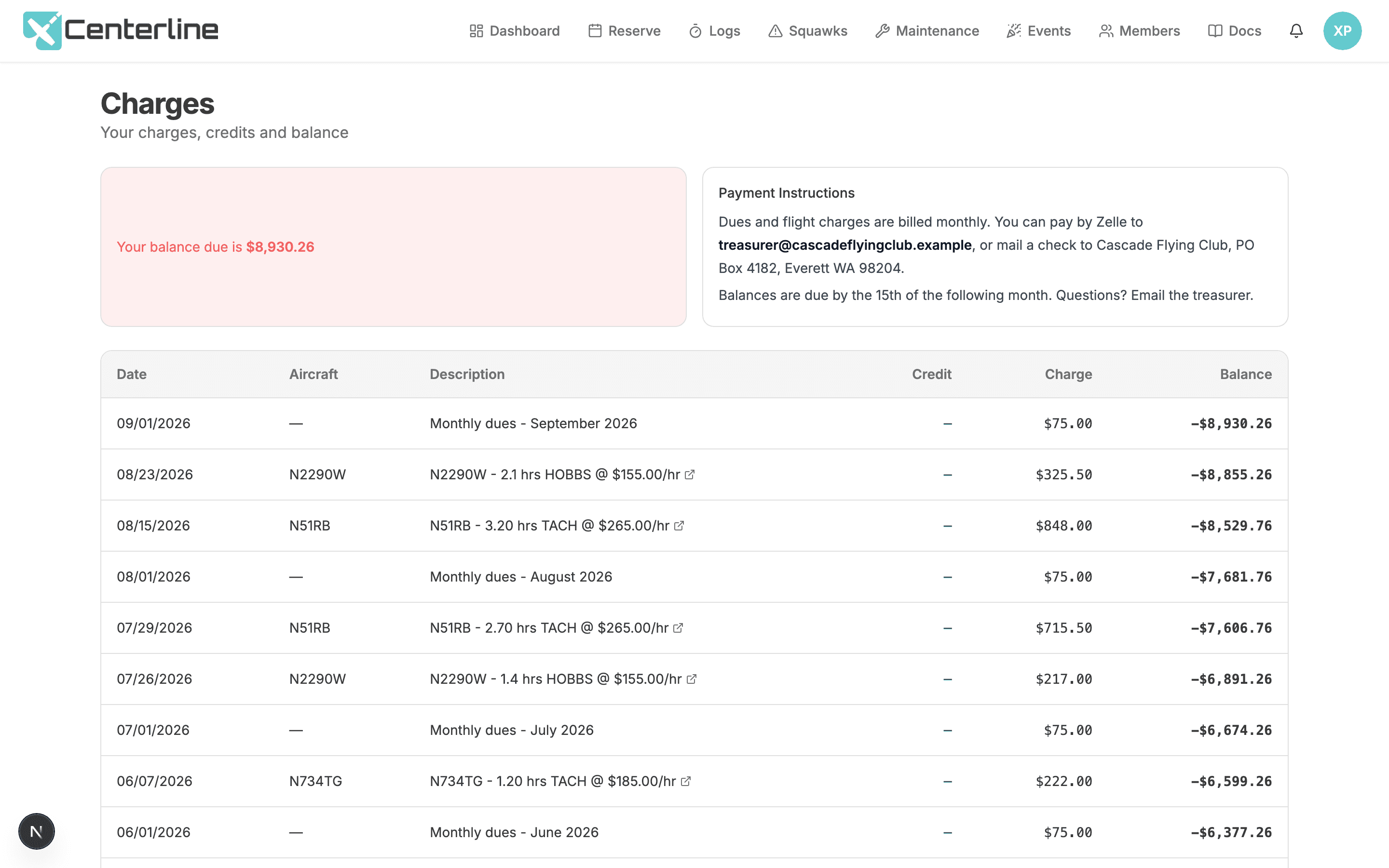
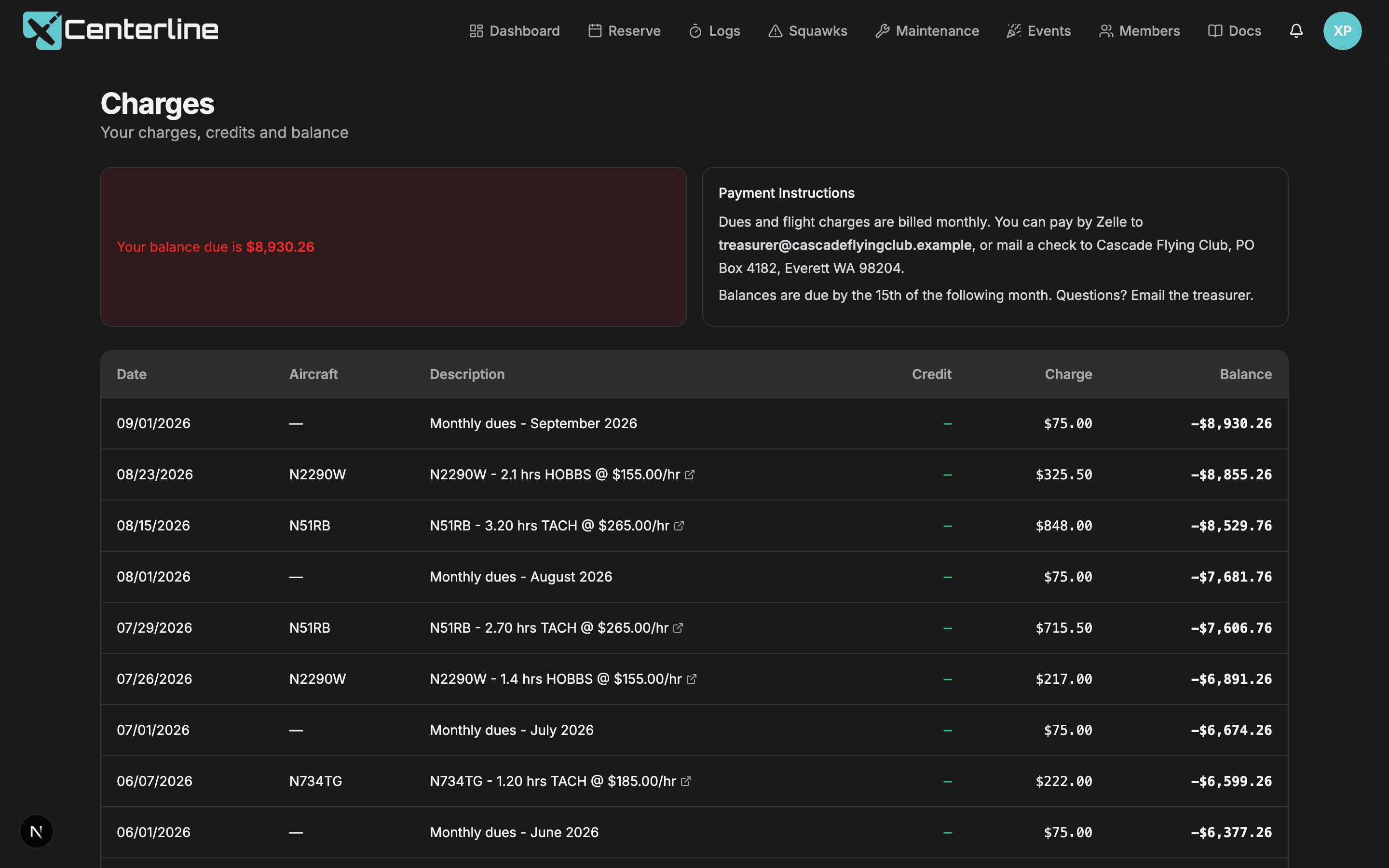
Every member gets their own Charges screen: a running, read-only ledger of what they owe and what they've paid, so "what do I owe?" stops being an email to the treasurer. If your club prefers Zelle, Venmo, or a check, your own payment instructions sit right there. If you've connected Stripe, so does Pay Now.
Complete billing and payment features
Everything above is gated behind the Billing feature toggle and restricted to the Account Owner role, labeled below rather than buried in fine print.
- Per-aircraft rates with effective dates
Raise rates on January 1 without corrupting December's books.
Account Owner only; requires the Billing feature
- Wet or dry rates
Match how the club actually operates.
Account Owner only; requires the Billing feature
- Hobbs or tach billing
Bill the way the club has always billed.
Account Owner only; requires the Billing feature
- Fuel reimbursement
Off-field fuel handled correctly instead of by IOU.
Account Owner only; requires the Billing feature
- Automatic charges from flights
The treasurer stops transcribing a clipboard into a spreadsheet.
Requires the Billing feature; generated when a member finishes a flight, and creatable by hand by Booking or Account Owner
- Chart of accounts
Real bookkeeping structure, not a flat list of line items.
Account Owner only; requires the Billing feature
- Debit/credit ledger
A real ledger, not a charges list.
Requires the Billing feature; the club-wide ledger is Account Owner only, but members see their own entries
- Filtering & totals
Answer treasurer questions right in the app.
Account Owner only; requires the Billing feature
- QuickBooks Online export
Books line up on the other side without manual re-coding.
Account Owner only; requires the Billing feature
- Member Charges screen
'What do I owe?' answered without emailing the treasurer.
Requires the Billing feature; every member sees their own charges
- Stripe Connect Standard
Money goes straight to the club. Centerline never holds funds and takes no application fee.
Account Owner only; requires the Billing feature; requires connecting a Stripe account
- Automatic ledger posting
Payments reconcile themselves.
Requires the Billing feature and a connected Stripe account
- Optional fee pass-through
The club stops eating the processing fee, and the books stay clean.
Account Owner only; requires the Billing feature and a connected Stripe account
- Payment instructions
Clubs that don't want Stripe still get a clean member experience.
Requires the Billing feature; written by the Account Owner and shown to every member
- Monthly dues
Officers stay in control of when money moves.
Account Owner only; requires the Billing feature
- Past-due warnings
The member sees where they stand before the treasurer has to ask.
Requires the Billing feature; thresholds are set by the Account Owner, the alert appears on the member's own dashboard
Give your treasurer their evenings back
Turn billing on, set your rates, and the first flight after that bills itself. 60 days free, no credit card.
Start your free trial60 days free. No credit card required.