Your club's ops board, on the clubhouse wall
Point any TV browser at one link and Centerline becomes signage: every aircraft's photo, live status, who has it now and next, open squawks, and your upcoming events — rotating on screen and updating themselves within seconds, all day, with no login and no keyboard.
One screen per aircraft
The display rotates through the fleet, one full screen at a time: the aircraft's photo, whether it's available, flying, grounded, or down for maintenance, who has it right now and who's up next, its open squawks, and how far off the next inspections are. Then it shows the club's upcoming events and starts over. Nobody stands in front of it with a marker.
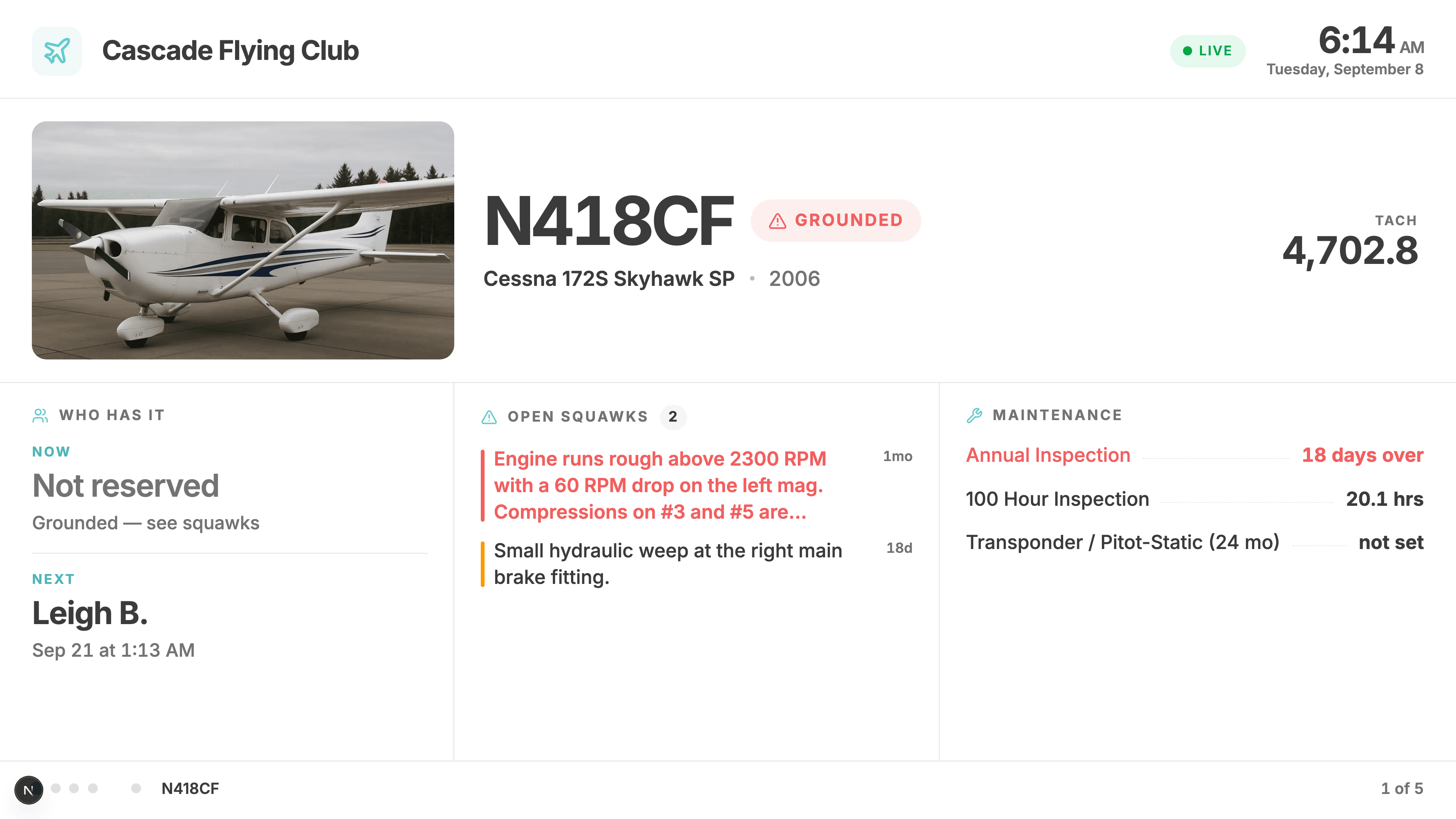
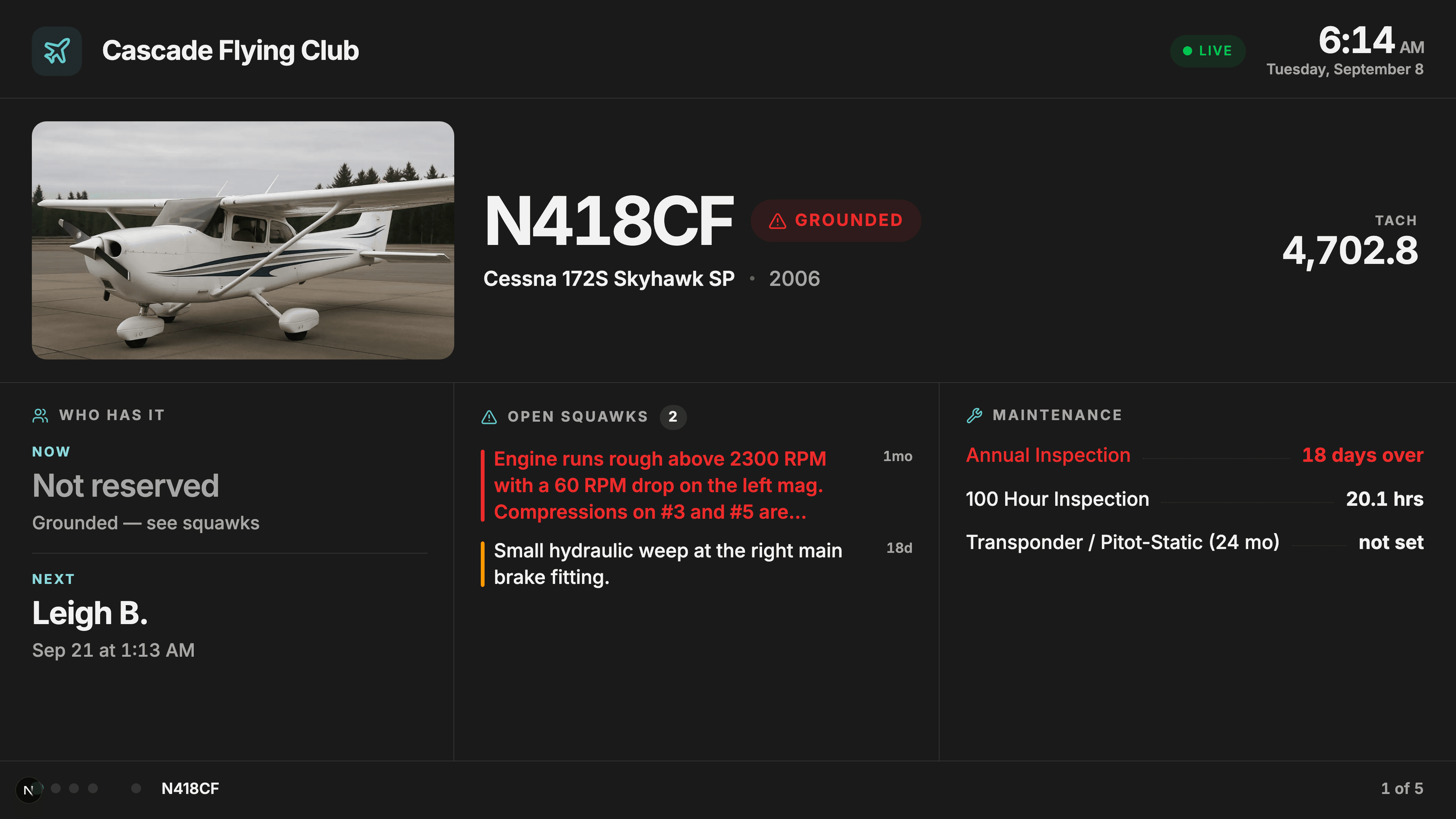
- Clubhouse TV display
The ops board every clubhouse wanted, without anyone updating it.
- Signage-ready
Plug in a TV stick, type the link, done.
It updates itself
Book a plane from the parking lot, close a squawk from the hangar, finish a flight from the ramp — the wall reflects it within seconds, pushed over a live connection rather than waiting on a refresh timer. And because a frozen screen is worse than a slow one, the header carries a Live indicator that turns amber the moment the display loses its connection, visible from across the room.
- Live wall updates
The wall never quietly goes stale.
Made for a public wall
A clubhouse wall is not a member's dashboard: guests, students, and the occasional airport visitor all read it. So pilot names are abbreviated to a first name and last initial, squawk reporters aren't shown at all, and each club picks the light or dark look that reads best on its wall — flip the setting and the TV changes while you're standing in front of it.
- Guest-appropriate privacy
Hang it where visitors can read it.
Your fleet, in pictures
Upload a photo for each aircraft and your club's logo, and the wall stops looking like software: the photo fills each aircraft's screen and the logo sits in the header. Uploads keep their shape — nothing is force-cropped to a square, and a transparent logo stays transparent on both the light and dark looks.
- Aircraft photos & club logo
The wall looks like your club, not a spreadsheet.
The Account Owner mints the display link from Setup, types it into the TV once, and can revoke and re-mint it at any time. The display itself needs nothing but a reasonably modern browser.
Every TV dashboard feature
- Clubhouse TV display
The ops board every clubhouse wanted, without anyone updating it.
- Live wall updates
The wall never quietly goes stale.
- Guest-appropriate privacy
Hang it where visitors can read it.
- Aircraft photos & club logo
The wall looks like your club, not a spreadsheet.
- Signage-ready
Plug in a TV stick, type the link, done.
Put your club on the wall
60 days free, no credit card.
Start your free trial60 days free. No credit card required.